Discover: Viewing Profiles and Setting Up the Algorithm
Discover is the main section for meeting users. Learn about the actions in this section and how to configure the search algorithm.

 October 3, 2026 · 2 min read
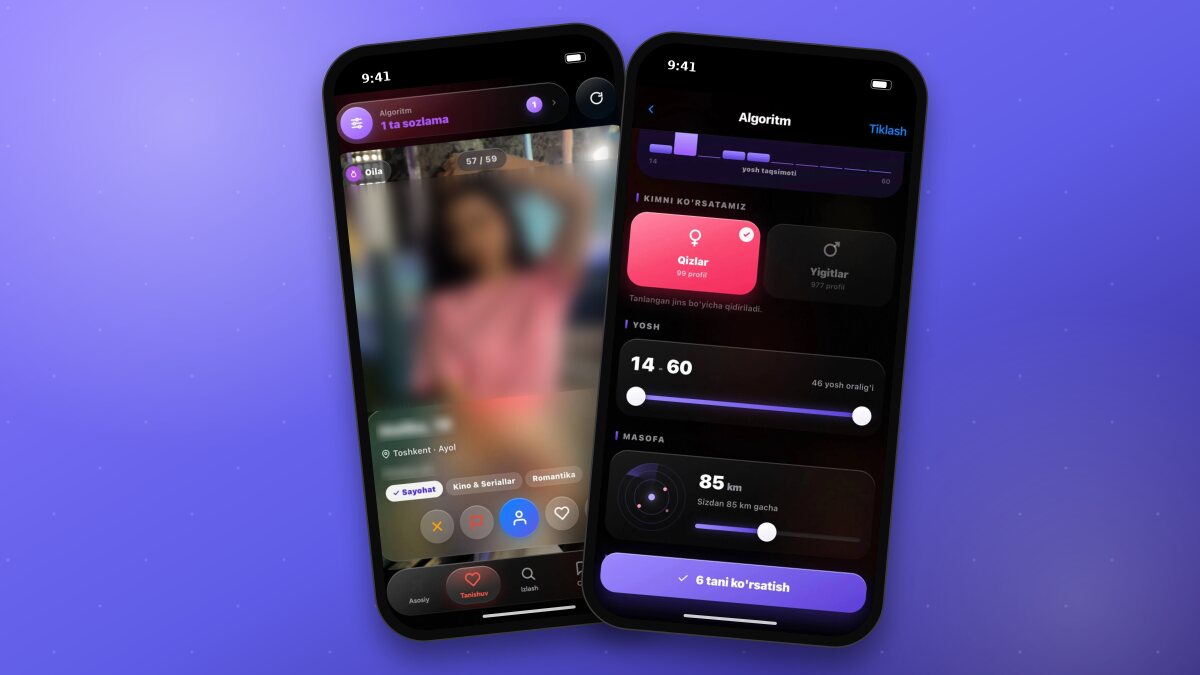
In the Discover section on the bottom menu, user profiles are shown one by one in the form of large cards. Each card displays a photo, name, age, region, short bio, dating goal, and interests, with your mutual interests highlighted.
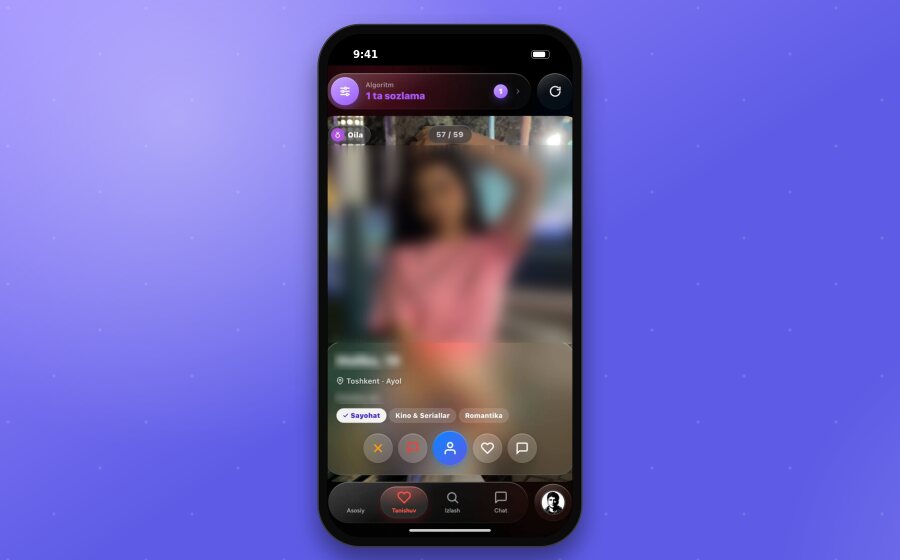
Actions on the Card
Swipe up - move to the next profile. You can swipe down to return to the previous profile.
Heart icon (like) - indicates that you like the profile. Free users can send 50 likes per day; there is no limit for XPlus members.
Chat - send a chat request to the user. XPlus members can message instantly without a request.
Profile - open the user's full profile.
Report (flag icon) - report a profile that violates the rules.
Skip (X) - skip the profile and move to the next one.
Setting Up the Algorithm
The “Algorithm” button at the top of the Discover page allows you to specify which users are shown to you. With every change, the “Live result” block instantly shows the number of matching users.
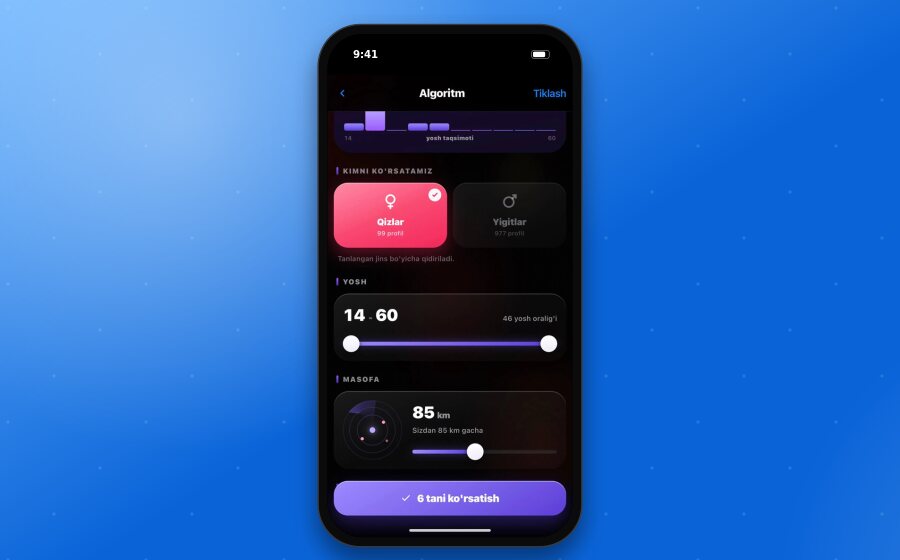
Available settings:
Who to show - Girls or Guys. The number of available profiles is shown for each option. This setting is available for XPlus members; profiles are shown mixed in free mode.
Age - the age range is set using a double-sided slider. The “age distribution” chart at the top of the section shows which ages have the most users.
Distance - shows users within a certain number of kilometers from you (for example, “Up to 85 km from you”).
Region, dating goal, and interests - additional filters.
Online now only and Verified only - toggles.
Sorting - Mixed, Best match, Active, or Newest.
After configuring the settings, tap the button at the bottom of the page. The button displays the number of profiles matching your chosen criteria, for example “Show 6”. To reset all settings, use the “Restore” button at the top. The Discover section will show users matching your selected criteria. The button will indicate how many filters are applied, such as “1 filter”.
How the Match Percentage is Calculated
The match percentage is calculated based on shared interests, age, region, dating goal, and chat activity. Rare shared interests give a higher score.
TipWhen setting up the algorithm, avoid narrowing your filters too much. If the “Live result” counter drops, expand the distance or age range.