Search and Radar: find users who are online, nearby, and a great match
The Radar feature in the Search section finds users in just a few seconds. Learn about the four modes, results, and daily limits.

 October 4, 2026 · 2 min read
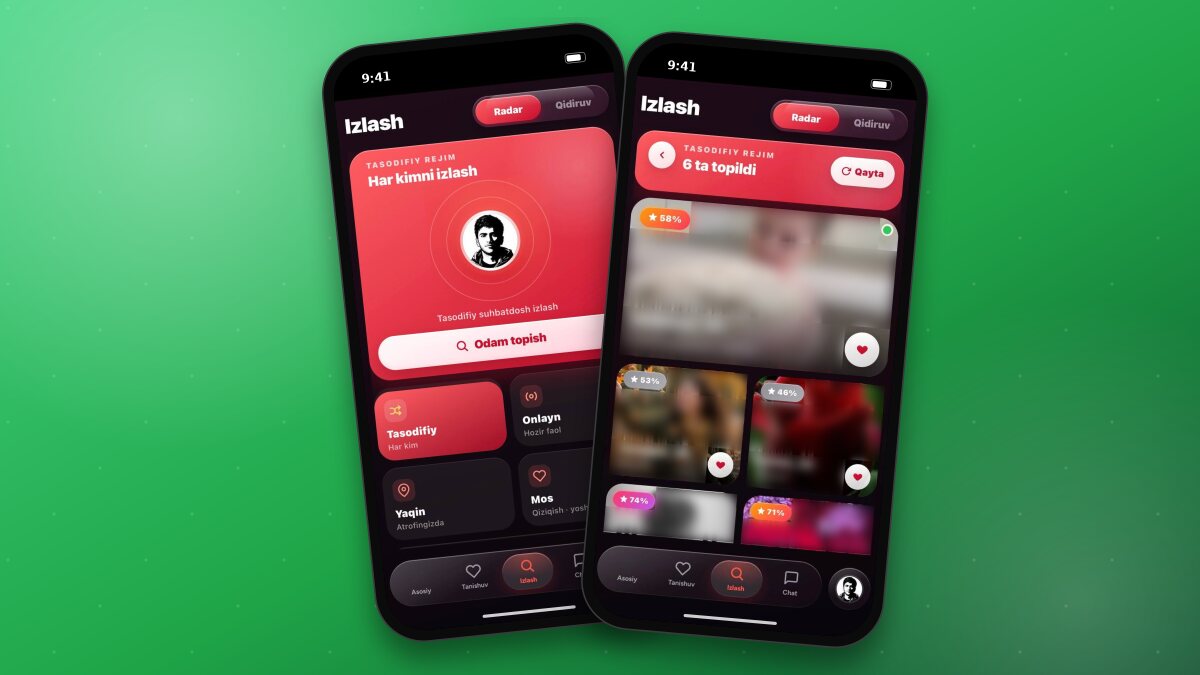
Radar is a fast search tool located in the Search section of the bottom menu. You can switch between Radar and Search modes using the toggle at the top of the section.
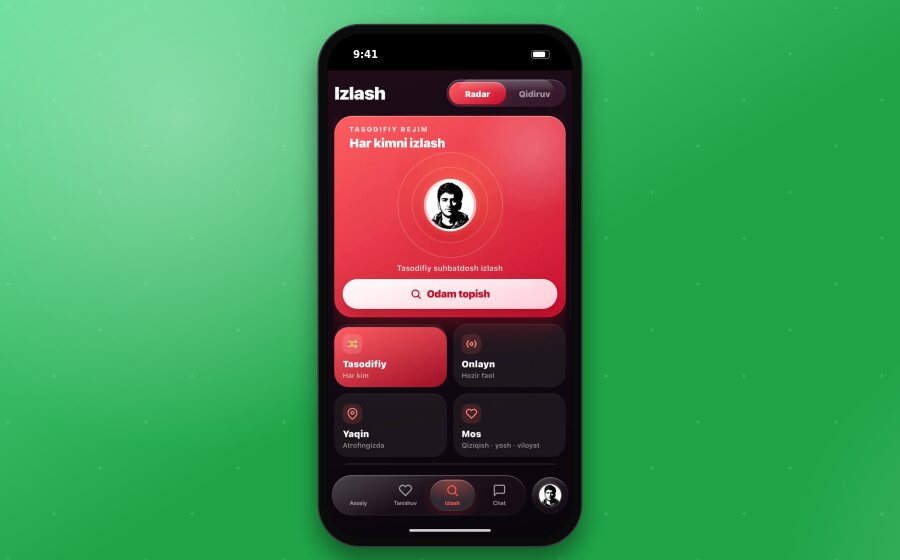
Search modes
Modes are selected from the boxes below. The name of the selected mode is displayed on the large card above (for example, “Random mode · Search everyone”).
Random - Everyone. Searches among all users. This mode has no limits for all users.
Online - Active now. Users who are currently active in the app.
Nearby - Around you. Users located closest to you.
Match - Interests · age · region. Users who best match you based on these criteria.
After selecting a mode, tap the “Find someone” button. Results will be shown in a few seconds.
Working with results
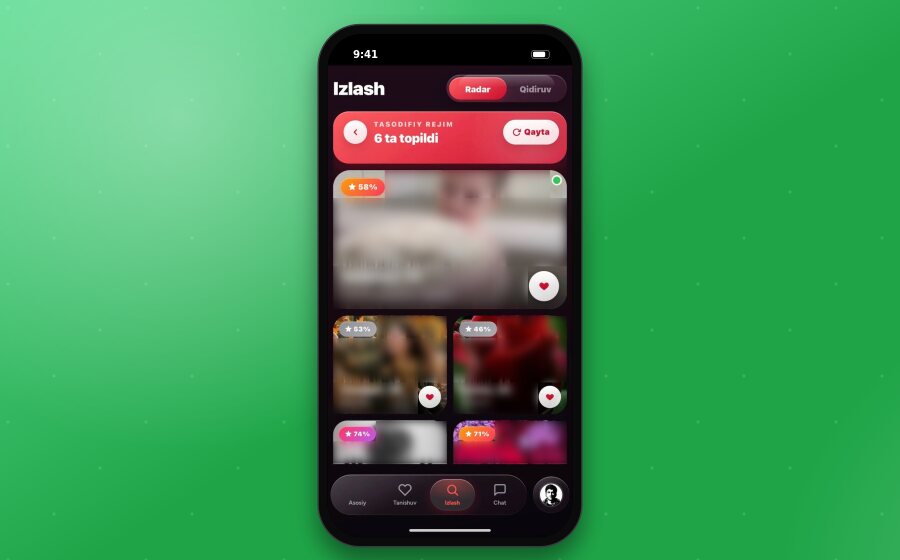
At the top of the results page, the mode name and the number of found users are displayed (for example, “6 found”). Each user appears in a separate box: the best match is in a large box, while the rest are in smaller boxes.
The box shows:
Match percentage (with a star, e.g., “58%”) - how well the user matches you.
Name, age, and region.
Reason for match - for example, “Common interests: Travel”.
Green dot - the user is currently online.
You can perform the following actions with the results:
- Tap a box - opens the user profile.
- Tap the heart button on the box - sends a chat request to the user.
- Tap the “Retry” button at the top for new results.
- Use the back button on the left to return to mode selection.
Daily limits
Free users can search 5 times a day in Online, Nearby, and Match modes. Random mode is unlimited for everyone. XPlus members get unlimited access to all modes.
TipIf your profile has all your interests filled out, the “Match” mode will provide more accurate results and higher match percentages.