What's New: Decorate Your Profile with Color and Badge
11 colors and 23 badge patterns have been added for your profile. Here's how to use this feature and the available options.

 October 8, 2026 · 1 min read
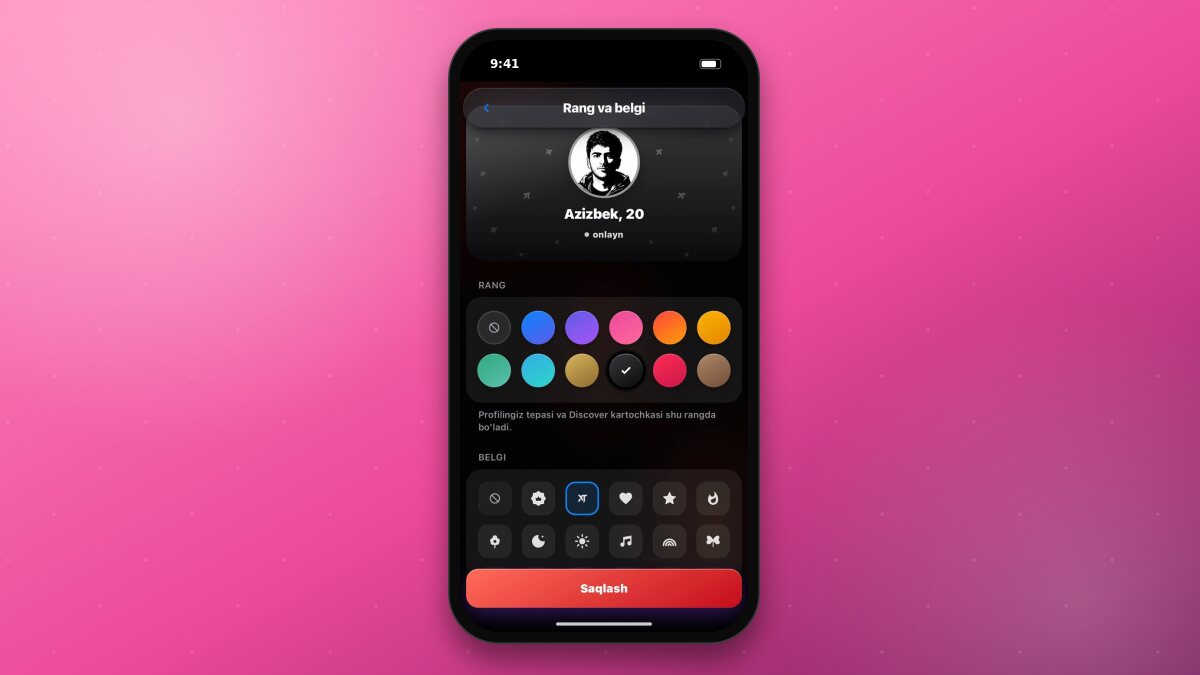
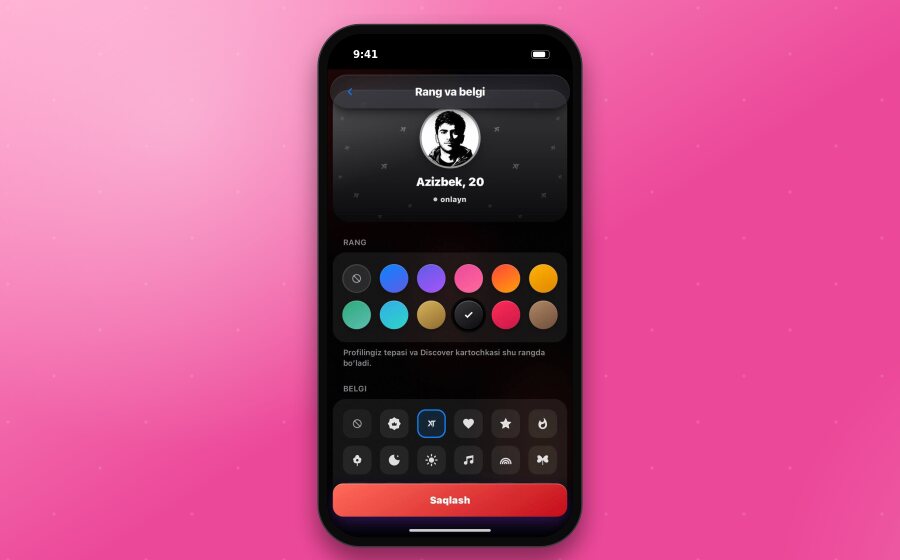
The “Color and badge” feature has been added to the app. Now you can color the top part of your profile and place a badge pattern over it.
How to Use
- Tap your avatar in the bottom menu. On the opened “My profile” page, tap the “Edit” button in the top right corner and open the “Color and badge” section.
- Choose a color - the result will be shown immediately in the preview at the top of the page.
- Choose a badge - it will appear as a pattern over the color.
- Tap “Save”.
Available Options
11 colors: Ocean, Purple, Pink, Flame, Gold, Emerald, Turquoise, Champagne, Black, Rose, Mocha.
23 badges: XPlus, XT, Heart, Star, Flame, Flower, Moon, Sun, Note, Rainbow, Butterfly, Crown, Diamond, Sparkle, Paw, Cloud, Leaf, Snowflake, Cherry, Planet, as well as Tulip, Pomegranate, and Cat.
Where the Decoration is Visible
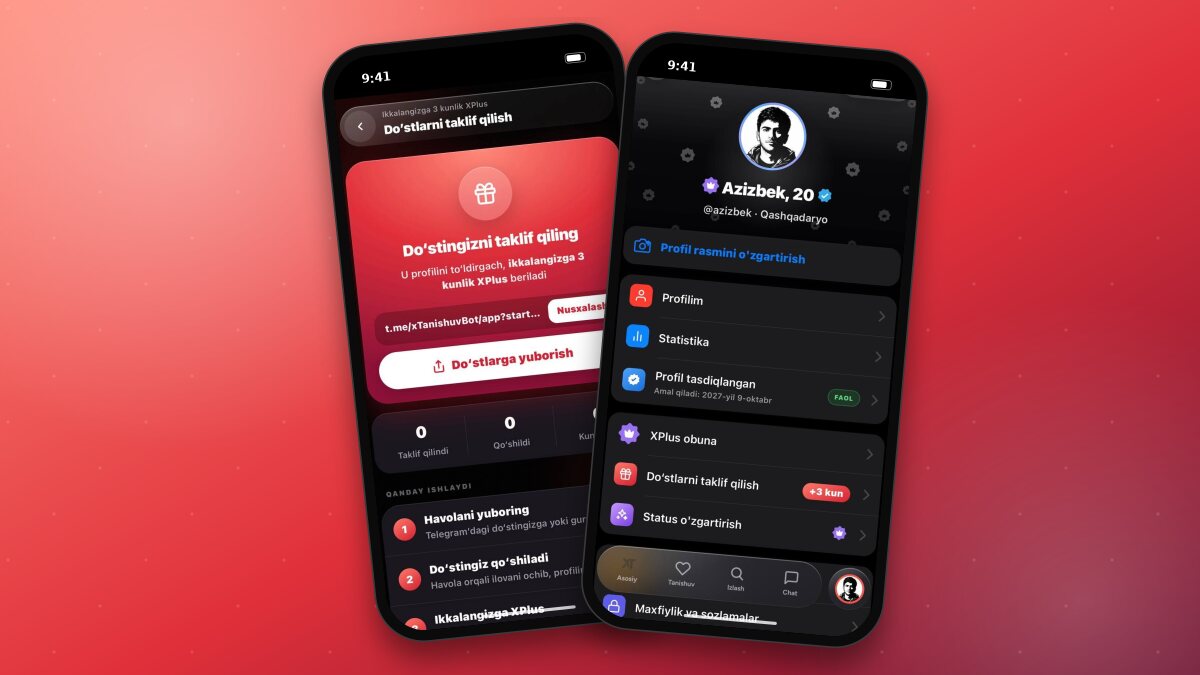
At the top of the profile page - the selected color and pattern.
On the Discover card - a small badge next to your name.
Good to know“Color and badge” is an XPlus privilege. You can try out the options on the page even without an XPlus subscription; saving requires an active subscription.