What's New: Save profiles you like
Save profiles you like for later without having to write right now. Saving is completely private - they won't know. Learn how to save, view your list, and free limits.

 October 23, 2026 · 3 min read
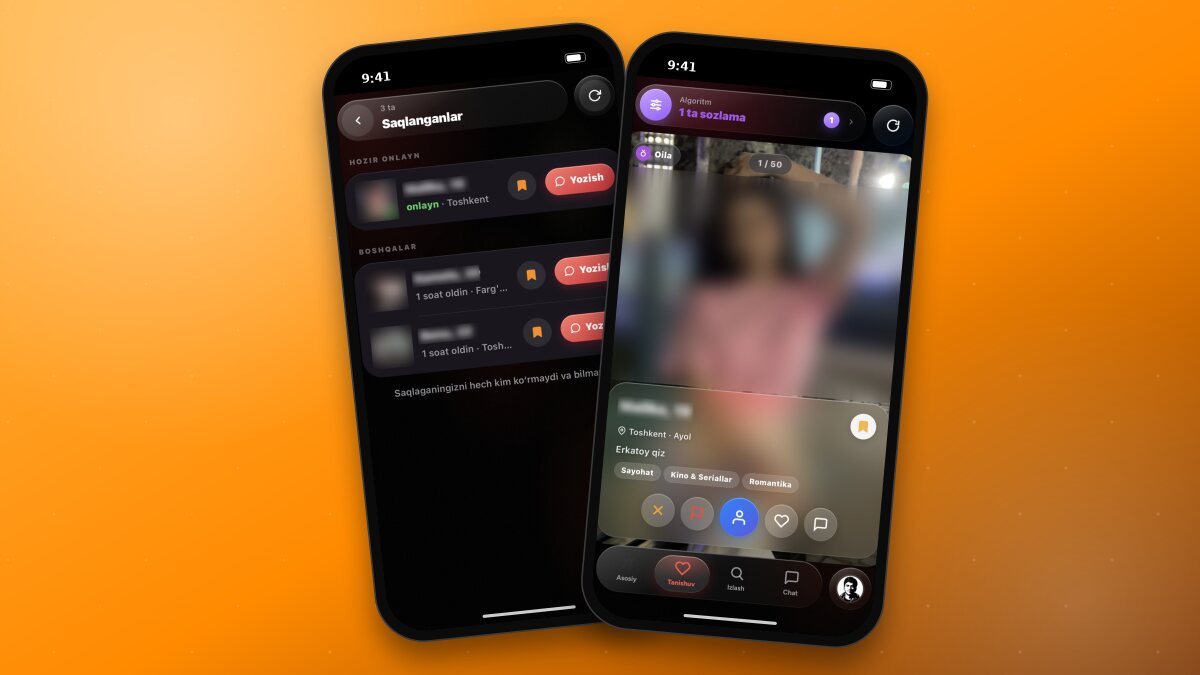
Saw a profile you like on Discover, but don't have time to chat right now? Now you can Save it. Saved profiles are kept in a separate list - so you can come back anytime and start writing with a single tap.
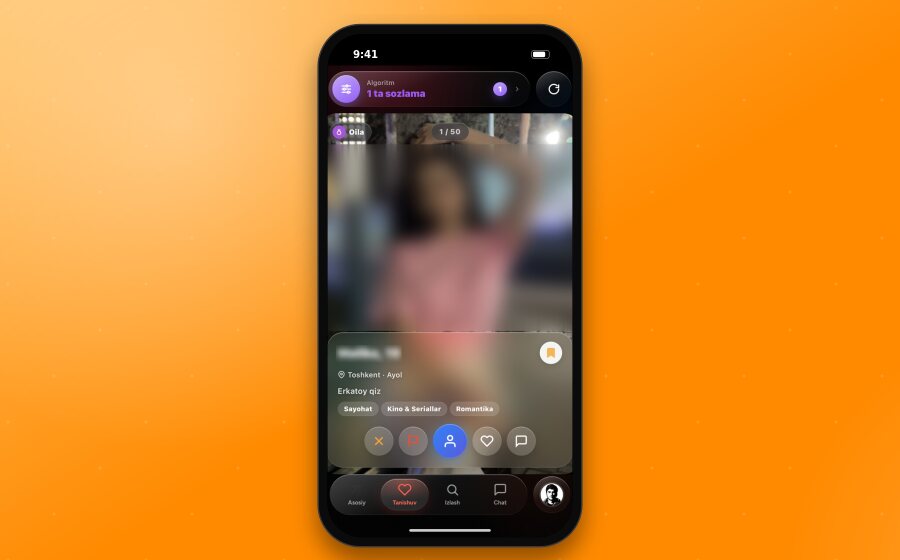
How it differs from a Like
Like is an open signal saying “I like you”: the other person receives a notification and you appear in their list.
Save, on the other hand, is completely private. No one will see or know that you saved them - the other person won't get any notification. It's simply a reminder for yourself: “I'll check this profile out later.”
TipYou can use both together: save the profile first, and once you've checked it out more closely - give a like or write to them.
How to save a profile
In Discover. There is a 🔖 button on the right side of the name row on the card. Tap it - the icon will turn orange and an “Added to saved” message will appear. Tap it again, and the profile will be removed from saved.
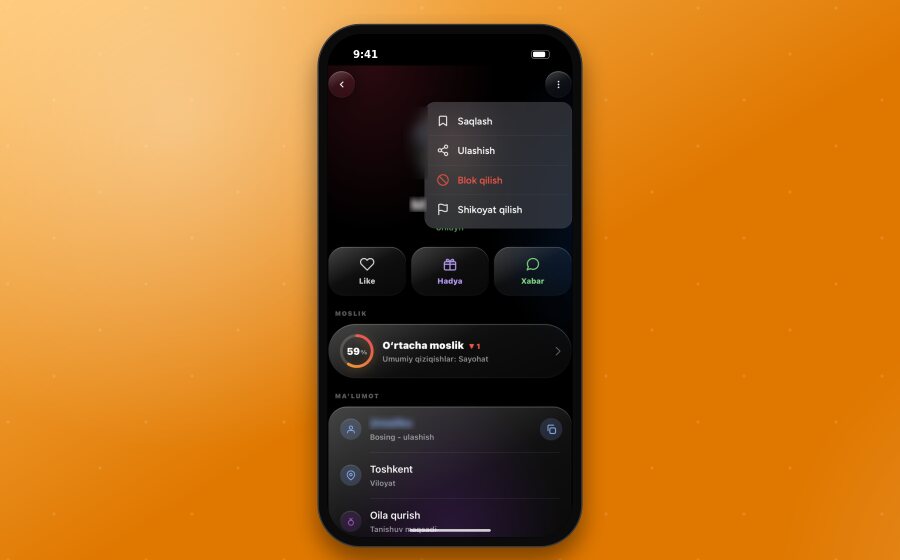
On the user's profile. Tap the ⋯ button in the top right corner of the profile page and select “Save” right at the top of the list. If the profile is already saved, you'll see “Remove from saved” here instead.
Saved list
To open the list, tap your avatar in the bottom menu and select the “Saved” row. The row will show how many profiles you have saved.
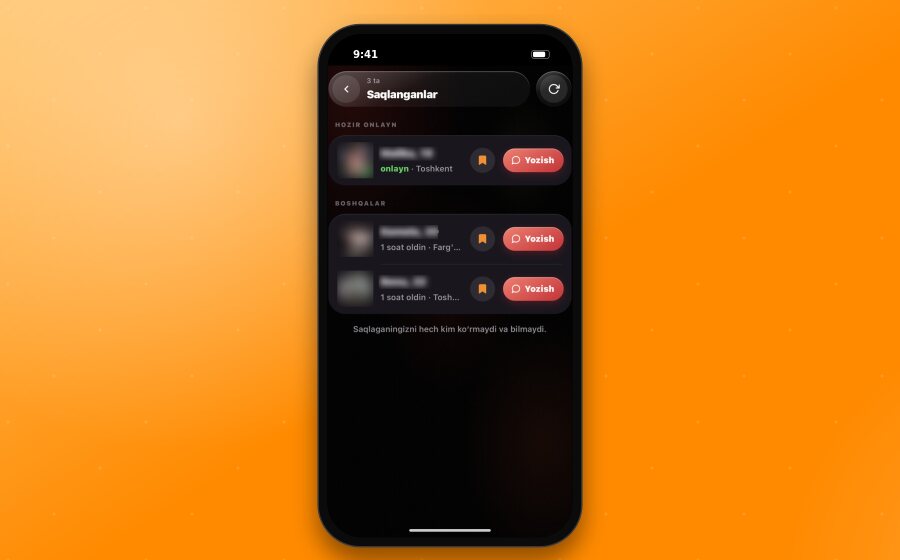
In the list:
Online now users appear at the top - so you can chat right away.
Everyone else is listed below, starting from the most recently saved, along with their last activity.
Each row has a “Write” button - opening a chat takes just one tap.
Tap the 🔖 icon to remove a profile from the list.
Tapping the row itself will open the full profile.
Free and XPlus
Free: You can save up to 10 profiles. The list header shows how many spots are filled, for example “3 / 10”.
XPlus: Unlimited saves.
If your list is full, remove an unneeded profile to add a new one, or get XPlus.
Good to knowIf your XPlus subscription expires, your saved profiles won't be deleted - everything will remain in the list. You just won't be able to add new ones if you have more than 10.
Frequently Asked Questions
Will the other person know I saved them? No. No notifications are sent, and they won't see it anywhere.
Why did a saved profile disappear from the list? If the person deleted their account or if one of you blocked the other, the profile will no longer appear in the list.
Can I save and like at the same time? Yes, they are independent of each other. You can save a profile and also give a like.
Good to knowLearn more about how to use Discover and tune your algorithm in the Discover and algorithm article.