Update: Chat Wallpaper
You can now set 12 different wallpapers for any chat: just for yourself or for both sides. Messages will also adapt to the selected wallpaper color.

 October 9, 2026 · 1 min read
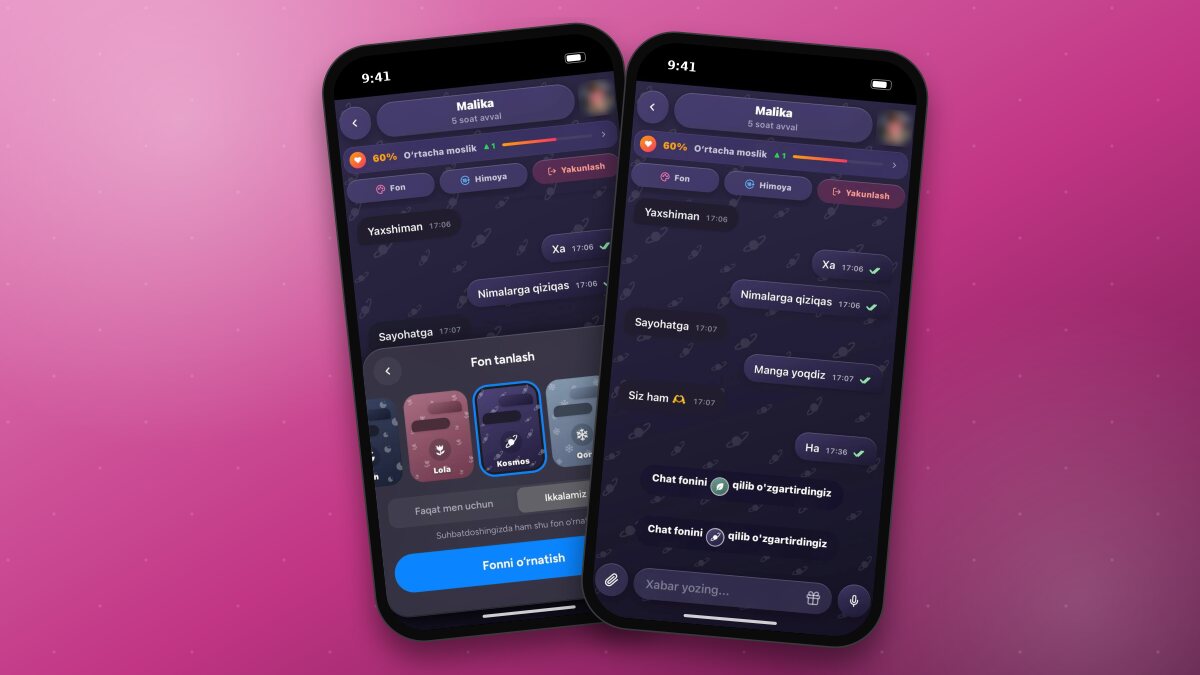
The “Chat wallpaper” feature has been added to the app. Now you can set a custom wallpaper and pattern for each chat.
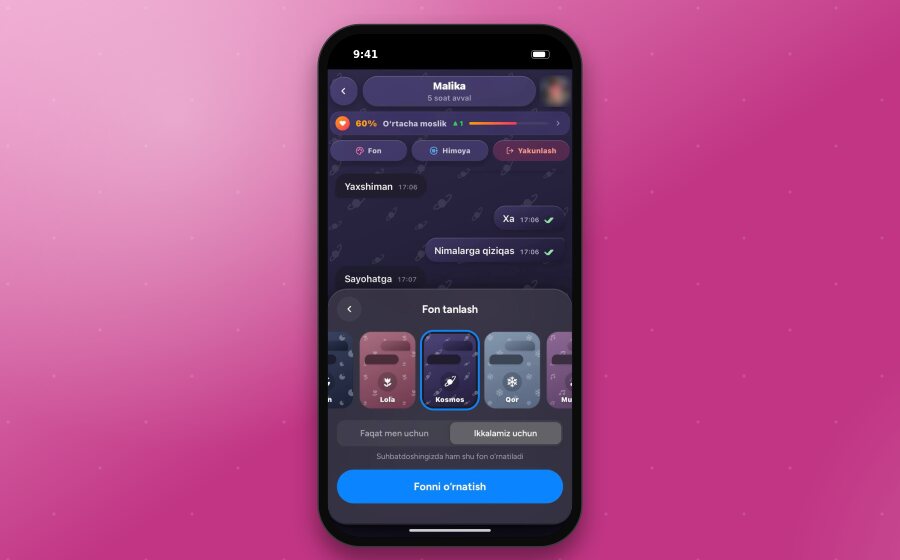
How to Set Wallpaper
- Open the chat and tap the “Fill” button in the header.
- Swipe through the wallpapers in the “Choose wallpaper” panel that opens at the bottom. The selected wallpaper will be previewed in the chat immediately.
- Choose who the wallpaper is for: “Just for me” or “For both of us”.
- Tap the “Set wallpaper” button.
Available Wallpapers
Sunset, Ocean, Lavender, Mint, Gold, Night, Tulip, Cosmos, Snow, Music, Cat, and Pomegranate. Each wallpaper has its own pattern. The colors are chosen in soft shades that won't strain your eyes during long chats.
After Setting Wallpaper
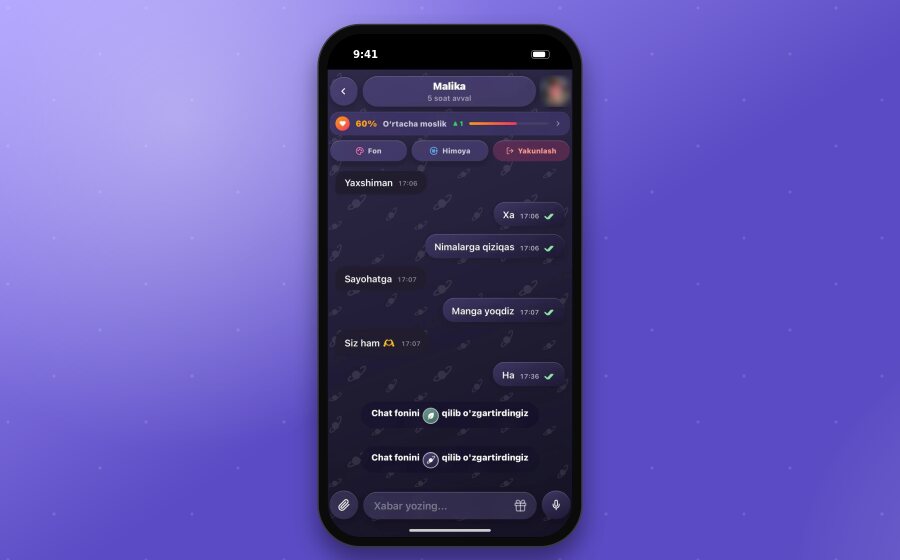
Message appearance. Sent and received messages adapt to the selected wallpaper color.
System message. A message appears in the chat saying “You changed the chat wallpaper to ...”; the dots are replaced with the icon of the selected wallpaper.
When set for both of us, the wallpaper is also applied for your chat partner, and they will see a message saying “[Your name] changed the chat wallpaper to ...”.
When set just for yourself, your chat partner's chat remains unchanged and no message is sent to them.
Good to knowChat wallpaper is an XPlus perk. Wallpapers set “For both of us” will be visible to your chat partner even if they don't have an XPlus subscription.